Plotted-TMS-v3
Box Info
Platform: TryHackMe, OS: Linux, Difficulty: Easy
Attack Path
- Apache serves the same content on 80 and 445. On
:445there is a Traffic Offense Management System admin login → RCE. - Web shell as
www-data;initialize.phpleaks DB creds → dumpusers. - linpeas:
plot_adminruns/var/www/scripts/backup.shfrom cron;www-datacan write it → replace it to SUIDbash→ becomeplot_admin. doasallowsplot_adminto runopensslas root with no password → read/root/root.txt(or arbitrary files) viaopenssl enc.
Full Walkthrough
I started, as always, with an nmap scan across the box to see what was actually exposed before touching anything manually:
Reason: 997 conn-refused
PORT    STATE SERVICE REASON  VERSION
22/tcp  open  ssh     syn-ack OpenSSH 8.2p1 Ubuntu 4ubuntu0.3 (Ubuntu Linux; protocol 2.0)
80/tcp  open  http    syn-ack Apache httpd 2.4.41 ((Ubuntu))
| http-methods:
|_  Supported Methods: OPTIONS HEAD GET POST
|_http-server-header: Apache/2.4.41 (Ubuntu)
|_http-title: Apache2 Ubuntu Default Page: It works
445/tcp open  http    syn-ack Apache httpd 2.4.41 ((Ubuntu))
| http-methods:
|_  Supported Methods: OPTIONS HEAD GET POST
|_http-server-header: Apache/2.4.41 (Ubuntu)
|_http-title: Apache2 Ubuntu Default Page: It works
Service Info: OS: Linux; CPE: cpe:/o:linux:linux_kernel

Host script results:
| p2p-conficker:
|   Checking for Conficker.C or higher...
|   Check 1 (port 50427/tcp): CLEAN (Couldn't connect)
|   Check 2 (port 45991/tcp): CLEAN (Couldn't connect)
|   Check 3 (port 63666/udp): CLEAN (Failed to receive data)
|   Check 4 (port 45111/udp): CLEAN (Failed to receive data)
|_  0/4 checks are positive: Host is CLEAN or ports are blocked
|_smb2-security-mode: Couldn't establish a SMBv2 connection.
|_smb2-time: Protocol negotiation failed (SMB2)
Both 80 and 445 came back running Apache with the same generic Ubuntu default page, which told me nothing on its own, so I ran a follow-up scan focused on port 445 specifically before moving over to manual browsing, since two identical-looking web servers on different ports is usually a sign that one of them is hiding something behind a different vhost or path:
PORT    STATE SERVICE REASON  VERSION
445/tcp open  http    syn-ack Apache httpd 2.4.41 ((Ubuntu))
| http-methods:
|_  Supported Methods: OPTIONS HEAD GET POST
|_http-server-header: Apache/2.4.41 (Ubuntu)
|_http-title: Apache2 Ubuntu Default Page: It works

Host script results:
| p2p-conficker:
|   Checking for Conficker.C or higher...
|   Check 1 (port 50427/tcp): CLEAN (Couldn't connect)
|   Check 2 (port 45991/tcp): CLEAN (Couldn't connect)
|   Check 3 (port 63666/udp): CLEAN (Failed to receive data)
|   Check 4 (port 45111/udp): CLEAN (Timeout)
|_  0/4 checks are positive: Host is CLEAN or ports are blocked
|_smb2-security-mode: Couldn't establish a SMBv2 connection.
|_smb2-time: Protocol negotiation failed (SMB2)
Browsing to port 445 directly turned up something port 80 never showed me: an admin login panel for a Traffic Offense Management System. It was vulnerable enough to hand me remote code execution outright, and from there I dropped a web shell running as www-data.
Digging into the application source with that shell, I found that initialize.php leaked the database credentials in cleartext, so I connected to MySQL myself and dumped the users table to see what accounts existed and how the application’s authentication was structured. From that same foothold, I ran linpeas to sweep the box for privilege escalation opportunities, and a few entries in its output caught my attention right away:
╔══════════╣ Container related tools present
/snap/bin/lxc


SHELL=/bin/sh
PATH=/usr/local/sbin:/usr/local/bin:/sbin:/bin:/usr/sbin:/usr/bin

* * 	* * *	plot_admin /var/www/scripts/backup.sh

╔══════════╣ Active Ports
╚ https://book.hacktricks.xyz/linux-unix/privilege-escalation#open-ports
tcp   LISTEN 0      70              127.0.0.1:33060        0.0.0.0:*
tcp   LISTEN 0      151             127.0.0.1:3306         0.0.0.0:*
tcp   LISTEN 0      4096        127.0.0.53%lo:53           0.0.0.0:*
tcp   LISTEN 0      128               0.0.0.0:22           0.0.0.0:*
tcp   LISTEN 0      511                     *:80                 *:*
tcp   LISTEN 0      128                  [::]:22              [::]:*
tcp   LISTEN 0      511                     *:445                *:*


╔══════════╣ Checking doas.conf
permit nopass plot_admin as root cmd openssl
That cron entry immediately caught my eye: plot_admin runs /var/www/scripts/backup.sh on a schedule, which meant the script executes with plot_admin’s privileges every single time cron kicks it off.
Since I was running as www-data, and www-data had write access to that script, my plan was straightforward: overwrite backup.sh with my own version, wait for cron to run it as plot_admin, and have my replacement drop a SUID copy of bash rather than a one-shot reverse shell, since a SUID binary meant I could come back and invoke bash -p whenever I wanted a stable shell as plot_admin instead of only getting one shot at it.
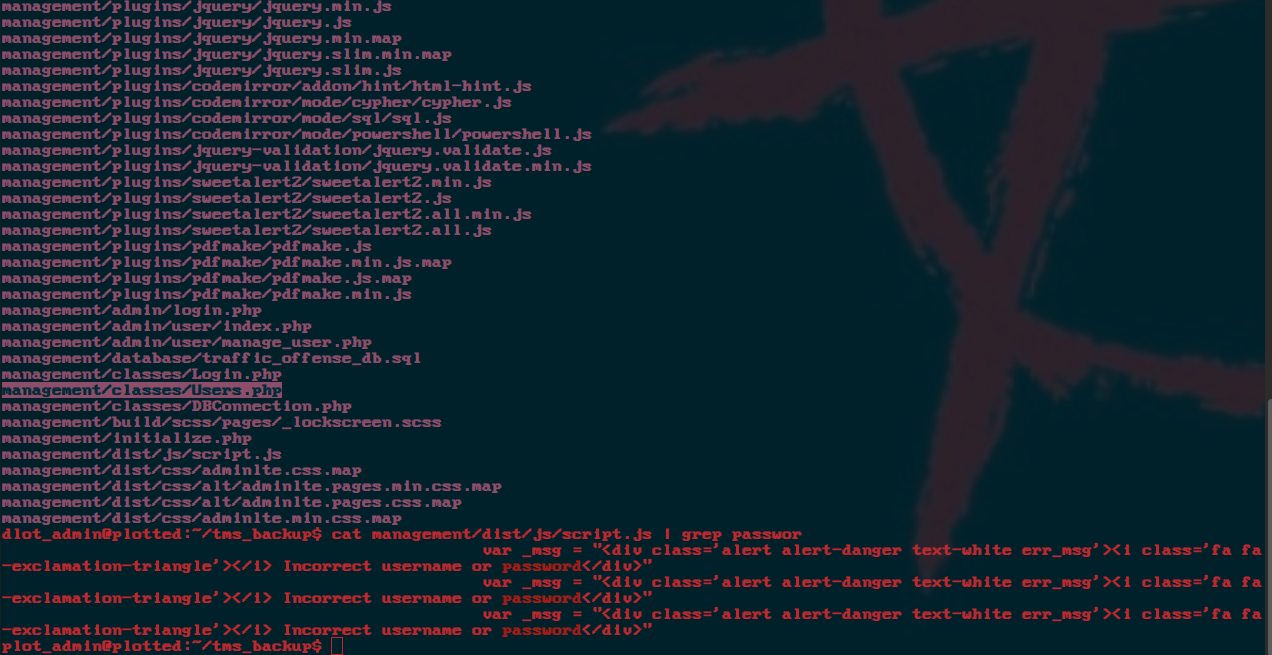
That trick worked cleanly, and with a shell as plot_admin in hand, the doas.conf entry I had already spotted in the linpeas output became the obvious next target: plot_admin can run openssl as root with no password at all.

With that doas rule confirmed, reading root.txt did not even require an interactive root shell. openssl enc without an explicit cipher just passes its input straight through rather than encrypting anything meaningful, so running it through doas as root effectively turns it into an arbitrary-file-read primitive, a trick straight out of GTFOBins:
doas -u root openssl enc -in /root/root.txt